
How Veltrio handles a rental, from the request to the deposit release
How Veltrio handles a rental, from the request to the deposit release
The easiest way to see what Veltrio does is to follow one booking through it. A request comes in, you check the renter, they sign and pay, and the car goes out and comes back. After that come the tools you use on quiet days.
Where requests come from
Renters can find your cars in three places. The Veltrio marketplace (opens in a new tab) shows your vehicles when someone searches your city and dates. Your own booking site, at yourcompany.veltrio.io, carries your name, your fleet and your rental terms. And if you already have a website, you can paste in a widget that shows your fleet there, set up the way you choose.
Every request lands in the same place and waits for you. You accept it or decline it, and the renter isn't charged anything until you accept. A request doesn't reserve the car while it waits, either. The dates are held only when you accept, and only if the car is still free then, so two renters can't end up with the same car on the same weekend.
The calendar
Once accepted, a booking goes on a calendar of your whole fleet, one row per car, showing who has it and when it's due back. Requests still waiting for your answer are marked so they don't get lost among the confirmed ones. When a car goes in for repairs, set it to maintenance and it can't be rented until you bring it back.
Checking the renter
From the booking, you can run a background check and an insurance check on the renter. Both are paid for with credits, which you buy in packs. Credits don't expire, and your first subscription comes with some, so you can try a check during the trial. ID verification uses no credits at all.
The last check happens at the counter. Before the car leaves, you check the licence of every driver on the booking. That includes additional drivers, whom you can charge for at a daily price you set.
The agreement and the payment
You write your rental agreement once, as a template, and Veltrio sends it with each booking for the renter to sign online. Some companies keep one template for everyday cars and a stricter one for their exotics; you can have up to 20.
The renter then gets a secure link to pay. The rental is charged, and the security deposit is held on their card until the car is back, so the paperwork and the money are both done before pickup day.
Where the money goes
When you set up, you connect your own Stripe account, and renters pay into it. Stripe pays out to your bank and takes its standard card processing fee. Veltrio takes no commission on bookings and never holds your money, since our income is your subscription. Renters pay the price you set, with no Veltrio fee added. If someone would rather pay cash at pickup, you can take that too.
The booking has buttons for the rest: send an invoice or a receipt, issue a refund, or release the deposit once the car comes back in good shape.
The dashboard
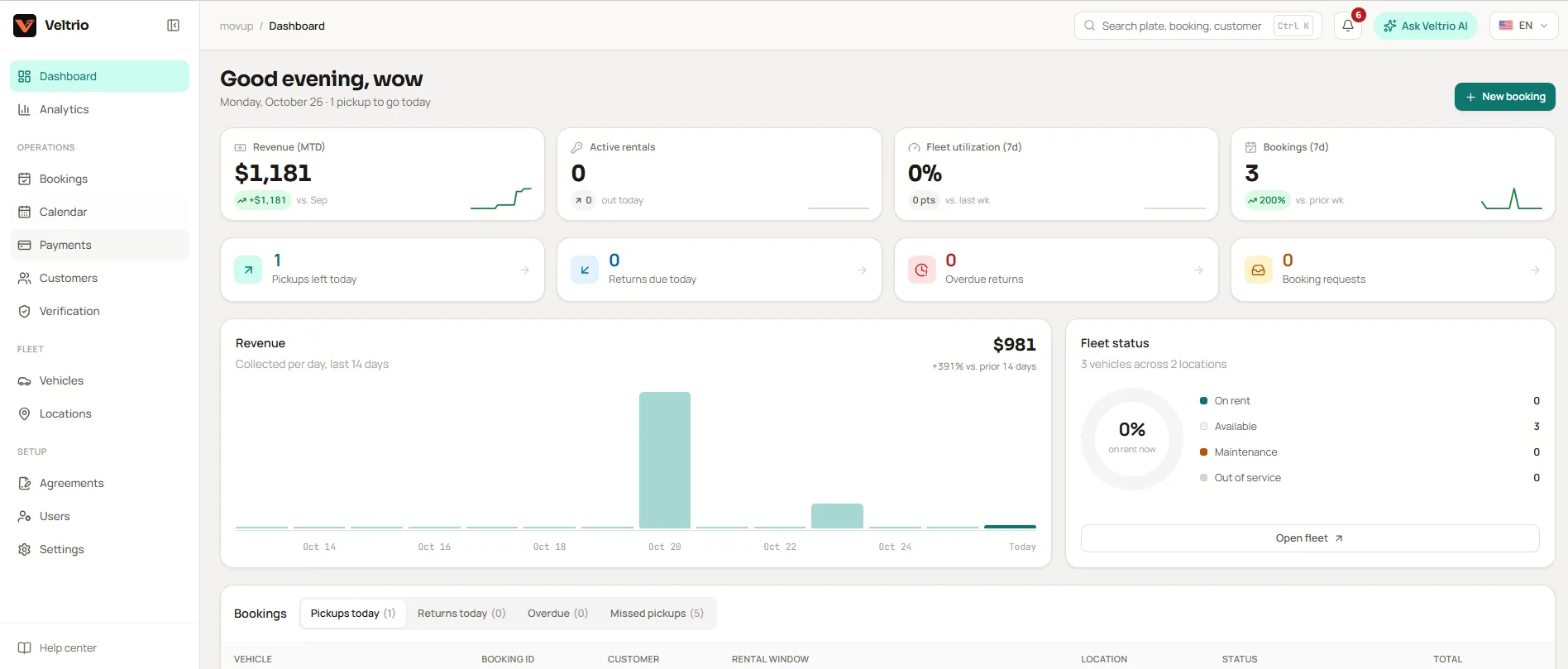
The dashboard is a to-do list for the day. It lists the cars due back today and the bookings starting soon that aren't ready to go yet, say an agreement still unsigned or a payment not yet made. It also catches pickups whose time has passed with the car still on your lot. A car that's out past its return time shows as overdue, so a late return doesn't slip by unnoticed.
Bookings you take at the counter go straight in as confirmed, without the request step.
Between bookings
The analytics page shows your revenue and how much of the time your cars spent on rent, for any range of days, next to the same stretch before it. Revenue here means money actually collected, net of refunds, counted on the day it came in.
It also points out cars whose price may be off, judging by your own bookings. Fixed rules find these and work out every number; AI only writes the sentence explaining each one. If you disagree with a suggestion, dismiss it, and you won't see it again for 30 days.
There's an assistant, too, that you can ask about your business in plain words. It reads through the same screens you would, with your permissions, so it can't show a staff member anything their role hides. It can also prepare a change for you, which shows up as a card. Nothing changes until you click it.
Your team and your branches
You invite staff by email and give each person a role: owner, manager or staff. A company always keeps at least one owner. If you run more than one location, each branch has its own address and opening hours.
The software works in English and Spanish, for your staff and your renters. When you add a car, AI can draft its description for you to edit. If your fleet already lives in a spreadsheet, import it instead of typing it in again.
What it costs
Veltrio is one flat subscription, priced by the size of your fleet. Each plan has a limit on vehicles and branches, and every plan has every feature, so a small fleet doesn't get a cut-down version. You can pay monthly, or yearly for a discount. Every plan starts with a 14-day free trial, which is enough time to add your cars, connect Stripe and take a real booking before you pay. Current prices are on the pricing page.